Design System
DreamStream’s Design System defines the tokens, components, and interaction rules that create the “sanctuary” feel across mobile and web.

✨ Design Principles
DreamStream’s UI should feel:
- Calm and premium (breathing room, soft surfaces, controlled motion).
- Emotionally safe (gentle microcopy, predictable navigation, low-friction recovery from errors).
- Native-first (touch-friendly, haptics-aware, performant on real devices).
- Accessible by default (contrast, readable type, tap targets, screen-reader-friendly patterns).
🔤 Typography
Typography is implemented via Tailwind font families.
| Role | Tailwind | Font | Notes |
|---|---|---|---|
| Body / paragraphs | font-sans / font-body |
Inter | Default UI text and long-form reading. |
| Headings | font-display |
Plus Jakarta Sans | Display headings feel "editorial" (used across h1–h6). Note: font-serif is aliased to Plus Jakarta Sans in Tailwind config for legacy compatibility. |
| Micro-labels | font-jakarta |
Plus Jakarta Sans | Small navigation labels (e.g., bottom nav). |
Examples from current UI
- Dream titles use
text-xl font-serif font-bold(seecomponents/DreamCard.tsx). - Bottom navigation labels use
text-[10px] font-medium font-jakarta(seecomponents/BottomNav.tsx).
🎨 Color System (Tokens)
DreamStream uses a hybrid approach:
- Named brand tokens (added in
tailwind.config.js). - Tailwind palettes for semantic states (success/error/info, subtle tints, borders).
- Dark mode driven by
darkclass (darkMode: 'class').
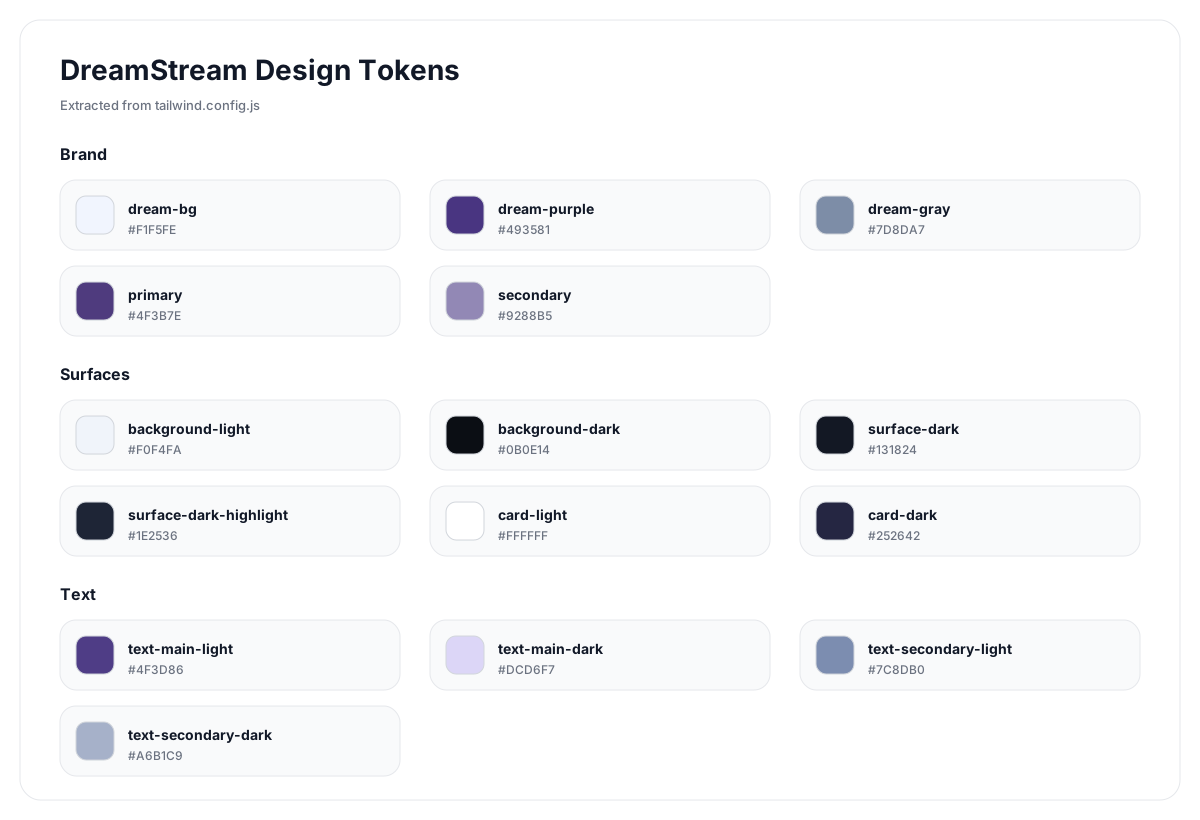
Brand tokens (from Tailwind config)
| Token | Hex | Typical usage |
|---|---|---|
dream-bg |
#F1F5FE |
App background (light mode). |
dream-purple |
#493581 |
Primary brand text + accents (light mode). |
dream-gray |
#7D8DA7 |
Secondary text, metadata. |
primary |
#4F3B7E |
Brand primary action color (semantic “brand”). |
secondary |
#9288B5 |
Subtle secondary accents. |
Surface tokens
| Token | Hex | Typical usage |
|---|---|---|
background-light |
#F0F4FA |
Alternate light background surface. |
background-dark |
#0B0E14 |
App background (dark mode). |
surface-dark |
#131824 |
Primary dark surfaces (cards/panels). |
surface-dark-highlight |
#1E2536 |
Hover/raised dark surfaces. |
card-light |
#FFFFFF |
Primary card surface (light). |
card-dark |
#252642 |
Alternate card surface (dark). |
Text tokens
| Token | Hex | Typical usage |
|---|---|---|
text-main-light |
#4F3D86 |
Primary text (light). |
text-main-dark |
#DCD6F7 |
Primary text (dark). |
text-secondary-light |
#7C8DB0 |
Secondary text (light). |
text-secondary-dark |
#A6B1C9 |
Secondary text (dark). |
Rule of thumb
Prefer named tokens for brand surfaces/text, and Tailwind palettes for semantic feedback (success, warning, error) so the UI remains readable and consistent.
🧱 Layout, Spacing, and Shape
Corner radius
DreamStream leans into soft, modern geometry:
- Cards often use
rounded-2xl. - Sections/panels commonly use
rounded-3xl. - Smaller UI elements use
rounded-xl.
Elevation
- Light surfaces use
shadow-sm. - Overlays/toasts use
shadow-lg+ subtle borders.
Safe areas
Navigation uses safe-area padding (e.g., pb-safe) to avoid clashes with iOS home indicator.
Touch interaction hygiene
DreamStream is optimized for tap-first usage on mobile:
- Prevent accidental text selection on tappable UI (buttons, nav items, chips).
- Use the
.no-text-selectutility on composite tap targets (and avoid it on user content areas where copy/select is expected, like dream text).
🧩 Core UI Components (Current Implementation)
This system is currently implemented as patterns, not a single component library.
- Cards
components/DreamCard.tsx- White/light card surfaces with dark-mode
bg-[#131824], soft borders, and type-icon thumbnails. - Bottom Navigation
components/BottomNav.tsx- High-contrast active state, large tap targets, springy FAB motion.
- Toasts
components/Toast.tsx- Semantic styling via Tailwind palette tokens and haptic notifications.
- Modals
- Example:
components/ApiKeyModal.tsx - Backdrop
bg-black/80+ blur, centered card content, clear CTA. - Loading states (Skeletons)
components/Skeleton.tsx- Premium Shimmer: Standard pulse animations are upgraded to a high-fidelity shimmer using the
dream-placeholder-bgutility. Use theshimmerprop onSkeletoncomponents. - Priority Loading: For thumbnails inside modals or above-the-fold content, use
priority={true}inLazyImageto bypass intersection observer delays and start loading immediately. This reduces skeleton visibility by fetching images right away instead of waiting for viewport entry.
🌀 Motion, Feedback, and Performance
DreamStream uses a mix of:
- Framer Motion for interactive elements (springs, presence-based transitions).
- Tailwind animations + custom keyframes for ambient effects.
- Native haptics to make interactions feel “real” on device.
Animation tokens
Custom keyframes / utilities live in:
tailwind.config.js(float,scan,marquee,shimmer, etc.)src/index.css(animate-gradient-x,animate-twinkle,animate-fade-in-up,gpu-accelerated, etc.)
Performance rule
Use motion to communicate state changes, not decoration. Prefer GPU-friendly transforms and avoid large layout thrashing.
♿ Accessibility Rules
- Tap targets
- Ensure interactive controls remain comfortable on mobile.
- Readable type
- Prioritize clarity for long dream narratives.
- Loading semantics
- Skeletons should avoid confusing screen readers; prefer
role="status"wrappers with clear labels. - Color + contrast
- Dark mode should keep secondary text readable (
text-secondary-dark) and avoid low-contrast purple-on-black combinations.
🔧 Where to Change the System
- App tokens:
tailwind.config.js - Global defaults & utilities:
src/index.css - Component patterns:
components/* - Docs theme (this playbook):
docs/product_feature_playbook/stylesheets/mintlify.css